

It’s been a long time since I’ve written about iPods on this blog. 2008 was the last post I could find.
In that time, SD cards have become so cheap they’re almost disposable, and iPods have virtually disappeared from normal life. But I still have one, and I still love it. I built this FrankenPod about ten years ago from a pile of broken iPods so it’s always looked a mess. The back cover came from an 80GB iPod Classic, an 80GB hard drive from a MacBook Air, and all the other internal parts were scavenged from various broken iPods. The plastic screen was already covered in scratches, so I never felt too bad about stuffing it into a pocket with coins or other junk. Not my usual style!
Upgrade Time
The battery had started to show its age so I set about replacing it. I assume parts will eventually start getting hard to find, but eBay is still full of spares for now.
I had to dismantle the iPod to replace the battery anyway, so I had a look at the other parts to see what else I could fix up. Then I remembered the iFlash adapter. I’d previously used a similar adapter to add a Compact Flash card to an iPod 4G, so I checked to see if there was an updated ZIF adapter. There sure is! And better yet, it works with super cheap, fairly fast SD cards. Add that to the parts list.
In total, here are the new parts I bought:
- Battery – £6.49 (Labelled 650mAh Thin)
- Screen Glass (plastic) – £3.49
- iFlash Solo – £28 (more about this below ⬇️)
- Sandisk microSD 64GB – £11 (from Amazon. Boo.)

Fortunately, the scratched exterior screen on this iPod has protected the delicate LCD screen inside, which is still in perfect condition. The Clickwheel™️, headphone port, and dock connector are all in good enough condition to keep.
My original plan for the front case of the iPod was to strip it down to bare metal and then prime and repaint it. I wanted something unique so thought I’d end up going for a bright yellow or chrome effect paint.
Enter The Rat 🐀
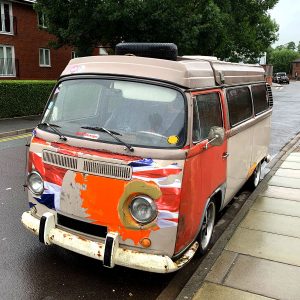
I started sanding the surface and realised how tough the anodised metal is. How it got so scratched up is a genuine mystery. I think this thing would survive a nuclear war. I went to work with sanding disks, grinding wheels and all sorts of abrasives and barely got through the top layer. As I was sanding, I started to like the way the iPod looked. My new idea was a RatPod. In the style of rat bikes, I would leave the outer surface looking messed up, but upgrade the internal parts. I couldn’t bear looking through the scratched screen though so still went for a replacement on that. I finished sanding the rough bits off, and making the surface silky smooth. The way all the edges are outlined by bare shiny aluminium looks pretty cool 😎.
iFlash
I chose the iFlash Solo for this project. This lets me swap the hard drive for a cheap SD card. My iTunes Library is only around 35GB so a single 64GB SD card will give me plenty of space for the future. (iFlash also sell adapters that take mSATA SSDs, or multiple SD cards for up to 1TB of music.) They ran a test a few years back about different storage options and found that microSD cards are pretty hard to beat for cost & power consumption, at the loss of a tiny amount of speed. They’re still way quicker than the old HDD, so that’s what I went with. The iFlash Solo has a full size SD slot, so I used the micro adapter that came with the Sandisk card.
Restore
While waiting for the screen glass to be delivered from China, I decided to connect all the other new parts and test the iFlash adapter. With everything loosely assembled I plugged in the USB cable, launched iTunes, clicked “Restore” and then…
The iPod could not be restored. An unknown error occurred (1394). ⚠️
Uh oh ☹️. I clicked “More Information” and expected the usual generic message. Instead I actually got a clue. It said the restore may fail if the battery is too flat. I can’t help but wonder how long this battery had sat in a box before I bought it. Anyway, I waited impatiently until the iPod was fully charged and then boom! iPod restored without issues. I loaded up some music and gave it a play. It works fine, and nice and quick.
The Finished Article

I’ve only had this finished for about a week, but already there are a few things to note:
- Starts playing music almost instantly
- Feels really lightweight
- Now shockproof
- Perfect in the car
- With the new battery, this thing lasts forever!
- I was worried about support in macOS Catalina, but it’s OK
Update After a Week of Use
I had a few teething troubles with the iPod that didn’t appear immediately. After a few days working fine, I started getting intermittent skipped songs, or the iPod would just stop playing in the middle of an album. If left in this state, the iPod would eventually run out of battery and then need to be plugged in to bring back to life.
HFS+ What?
As I was using this iPod with my Mac, it gets reformatted to HFS+ during a restore. Information about MacPods is hard to find, but often the Windows formatted iPods need to be reformatted a particular way to prevent issues. As an attempted workaround, I’m currently using the iPod formatted for Windows, to see if that sorts out the skipping problem. You can use Windows formatted iPods on Mac but not the other way around. I’ll see how it goes.
Update 2021
Despite working mostly OK, I still had some occasional freezes with this iPod. I decided to crack it open again and try a different brand of SD card. I got a Samsung EVO plus 64GB, and touch wood, it’s been fine since. I’ve since checked the compatibility chart on iFlash, and it does have reports of problems with the SanDisk card I used before.
Leave a Reply