Category: SSD

  • Intel® Optane™ H10 Data Recovery

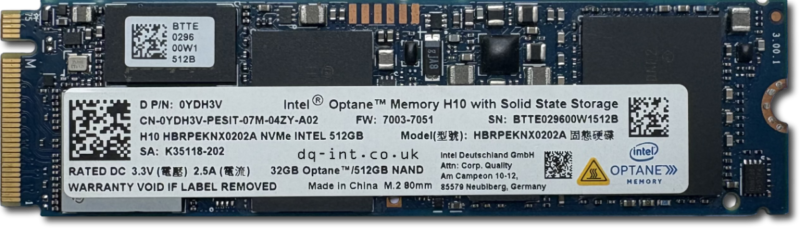
    Intel Optane H10 SSD 32GB Optane / 512GB NAND

    Intel Optane has been around for a while, and can improve SSD performance by combining “Optane Memory” (fast storage) and a standard SSD. For servers this requires plugging in independent Optane devices. The H10 SSD however comes as a single standard form factor m.2 SSD. The two devices are created by internally splitting the PCIe lanes and providing two separate SSDs over the same connector: one small and fast, the other larger and relatively slower. This allows the host computer to create a lop-sided RAID or cache, where the benefits of both devices are seamlessly blended together to create a large capacity and faster SSD. That is, until something goes wrong. If either half has a problem, the whole thing stops working.

    Note: This is similar to Apple’s Fusion Drive system which uses a separate hard drive and SSD to achieve even larger combined drives, but at the expense of speed.

    Symptoms of a Failed Optane SSD

    After failing to boot, a common symptom of a failed Optane H10 SSD is that any attempts to recover the data will yield an almost empty Windows volume, with little or no user data. They almost appear as a fresh install. If you fail to correctly combine the two devices, you’ll get a very poor recovery result.

    Using professional data recovery hardware, we can address the two devices independently, and read and repair them. We can then take a copy of each device, and recombine them in software to gain access to the data.

    If you need Optane recovery, let us know.

    Contact Us Now…

    For a fast reply from a real person.

    Issues

    Another potential roadblock here is Bitlocker encryption. It is supposed to be impossible to enable bitlocker without making a key backup to a Microsoft account, but we’ve seen countless cases where this went wrong. Effectively locking the disk and throwing away the key.

    Drive Info

    • D P/N: 0YDH3V
    • CN-0YDH3V-PESIT-07M-04ZY-A02
    • FW: 7003-7051
    • H10 HBRPEKNX0202A
    • SA: K35118-202
    • RATED DC3.3V 2.5A
    • 32GB Optane ™ /512GB NAND
  • Fake Drives: 2025 Update

    There are an awful lot of fake storage drives available to buy online. These are not just cheap or low quality devices, but they are actively designed to trick you. They are fakes. Scams.

    We just had another one sent to us to store customer data, so here’s our latest public announcement post.

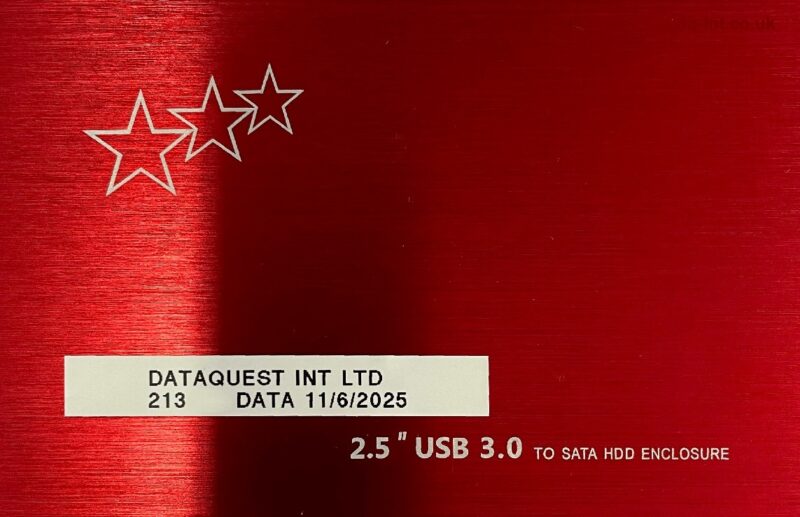
    Looks legit?

    Cheap 4TB SSD (or is it?)

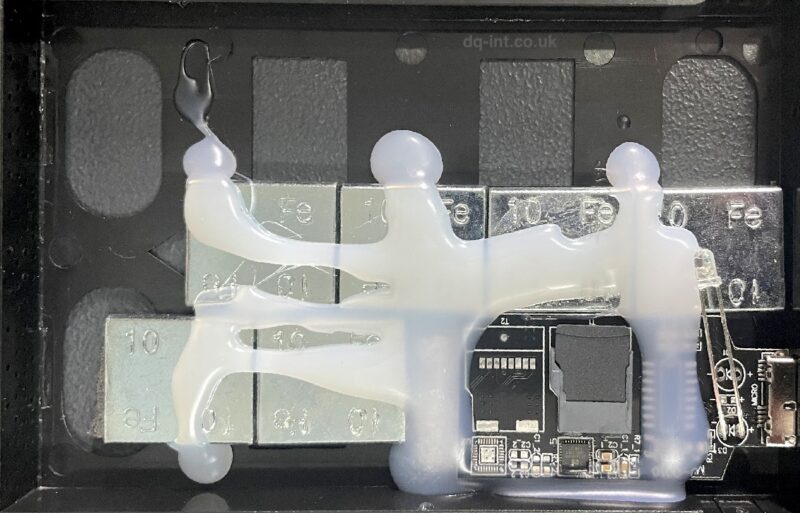
    Not only do the fakes appear to be normal at first glance, they are hacked to appear as the advertised capacity to your computer. They come in all shapes and sizes to mimic real devices. And we just can’t resist opening them up to see what’s inside. This most recent one had an unbranded 58GB (!?) SD card hot-glued to a USB adapter board, and a bunch of wheel balancing weights stuck inside to give the illusion of a heftier item. These are not accidentally bad, they’re straight up scams.

    Inside a fake 4TB SSD. Yes, those are weights used to balance car wheels!

    Behind the mask 🎭

    The worst thing about a 58GB SD card masquerading as a 4TB drive, is that the first 50GB of data you store on it will probably seem OK. The speed will be terrible compared to a real SSD, but you may not notice that. As you approach the limit of the storage, data is just discarded instead of being written, so you’d better hope your data exists somewhere else. If not, you’ve just sent it straight through a digital vaporiser. Also, that will usually cause the original 50GB of data to become corrupt, so it’s now all gone. In some cases the original 50GB may be recoverable, but the rest is definitely not. Instead of storage capacity you’ve got lumps of iron.

    Thou shalt not judge a book by its cover
    Thou shalt not judge Lethal Weapon by Danny Glover
    Thou shalt not judge an external disk by its shiny aluminium cover

    Remember the old adage “if it’s too good to be true then it probably is.”

    Wheel balancing weights are not a good substitute for data storage media

    Other posts about fake disks

    1. eBay Fake Capacity USB Sticks
    2. Fake HDD Data Recovery
    3. Kimsnot Extreme PRO – Fake 128GB SD Card

  • Big or Small Old or New 

    Since we started offering our specialist data recovery services back in 1998 (😱) storage device capacity and speed has increased almost exponentially. New disks at the time were 6-30GB, but many disks we saw were much older and lower capacity. Now it’s common to see 8TB+ disks and even 100TB. Also physical storage device size has reduced to a mere 2.5″ form factor for a 100TB SSD or 6TB mechanical hard drive, and even smaller for “blade” SSD’s. 

    Blade SSD
    Blade SSD

    Keeping up with changing technology is crucial in being able to offer data recovery for the latest storage devices. 

    We do still see vintage storage come in for data recovery. From floppy disks, CDR and DVD+/-Rs, as well as removable cartridge media of all types, and of course old hard drives. So we need to keep old technology knowledge and hardware to support these old devices.

    We’ve seen many trends come and go during our time:

    • External drives with soldered USB-interfaces instead of removable bridge boards (which are now the norm).
    • External RAID drives, required when disk capacities weren’t growing fast enough.
    • The move from spinning disks to Solid State Drives
    • Storage chips soldered directly to motherboards instead of discrete removable drives.
    • Data stored on phones!

    We’ll see if the trend towards AI starts affecting storage drives too.

    Watch this space!

  • LaCie External SSD Recovery

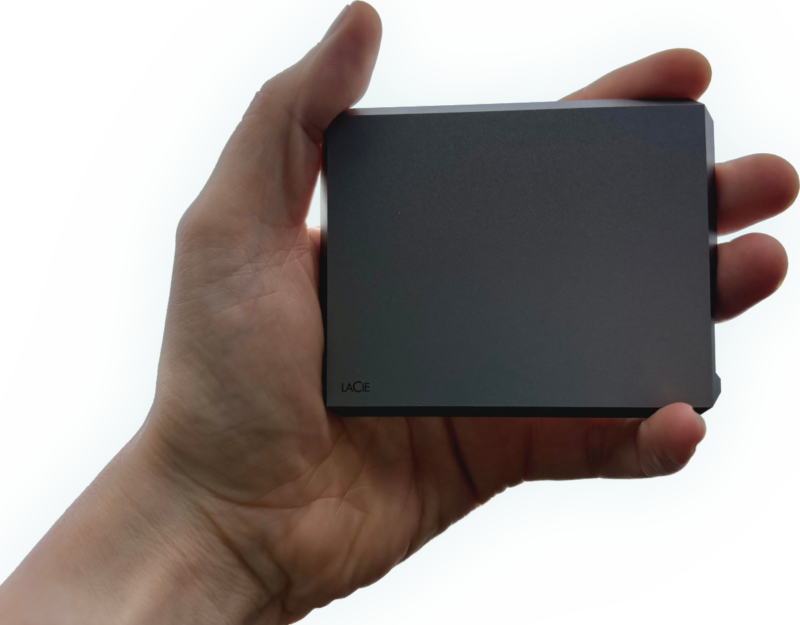
    A hand holding a LaCie External Mobile SSD for data recovery

    The first battle when attempting to recover one of these LaCie SSDs is getting into the thing! Fortunately LaCie have used this design before for external hard drives, so we’ve already figured it out. It’s not for the faint of heart though. You need to carefully, and delicately slip a strong bare Stanley blade into the seam on the back of the device. This is just thin enough to slide in without damaging the Aluminium, but strong enough to not snap. Warning, do not try this at home! There’s a knack to it, and you could easily slice off something fleshy by mistake.

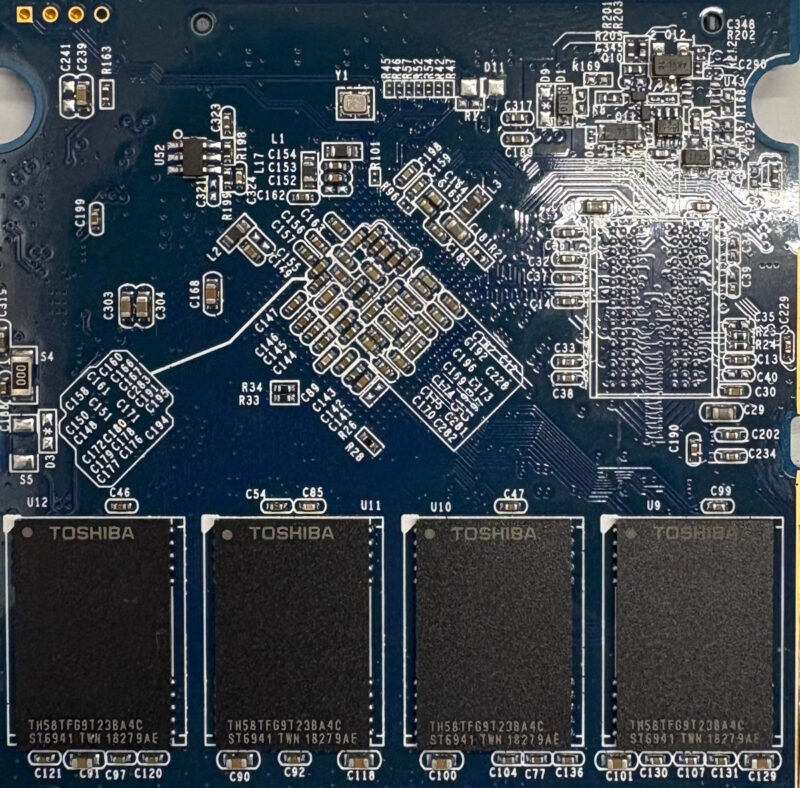
    The circuit board from a LaCie Mobile SSD, showing Toshiba NAND chips
    LaCie External Mobile SSD

    The next bonus is the controller chip A Seagate branded Phison chip, for which we have excellent support in our tools.

    The Diagnosis

    When connected via the USB-C port, the bridge interface is correctly identified, but it shows no attached media. (Like a CD drive with no disc inserted.) This usually indicates that the bridge device is working OK, but the SSD is not.

    When connected by SATA to our tools, we can see that the drive is stuck in Safe Mode, AKA Firmware Update Mode. The main clue is the capacity reported as just 2MB. This can happen when the drive firmware is unable to fully load, so instead reverts to safe mode.

    In this case we can upload temporary custom firmware to the SSD and then read from the original NAND chips to find the data. The rebuild went well, and we were able to access all the files. Some errors were reported during the file extraction, so we suspect that one of the NAND chips had started to fail.

    This was an excellent drive to work on, and the outcome was ideal. Fortunately nobody had messed with the drive before it got to us, so the NAND storage hadn’t fully degraded.

    If you have a failed LaCie Mobile SSD and would like help getting it recovered…

    Contact Us Now…

    For a fast reply from a real person.

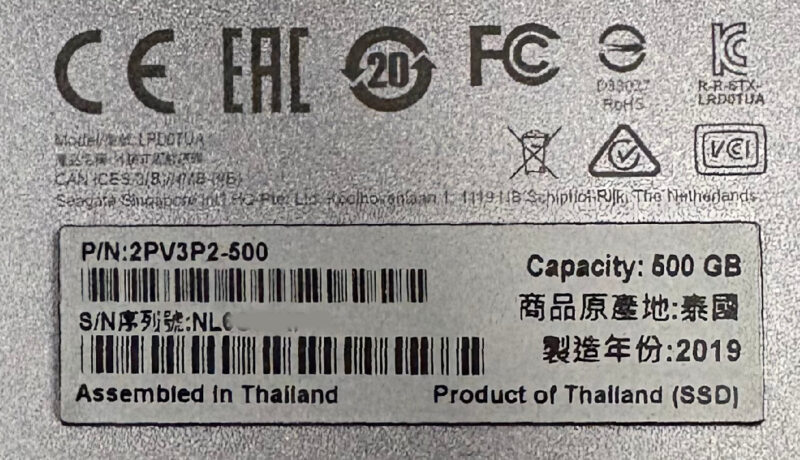
    LaCie Mobile SSD – LRD0TUA 2PV3P2-500 NB131WVE